All tutorials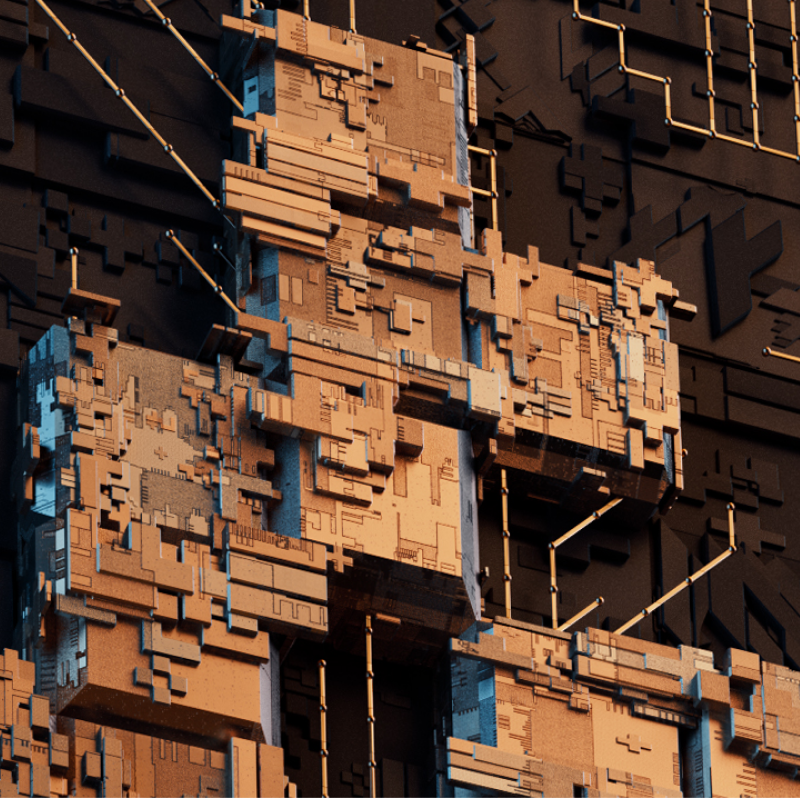
Tutorial · free
Procedural Greebles HDA for Houdini
How to use the Procedural Greebles HDA to add detail to any object in Houdini.
HoudiniHDARedshiftProceduralGreebles
Project files for this tutorialProcedural Greebles HDASkip the setup. Get the exact Houdini scene from this video.
$29.99Get it
How to use the Procedural Greebles HDA in Houdini to add extra geometry detail / greebles to almost any object, a free usage walkthrough.
What's covered:
• Running the HDA over built-in or custom geometry and groups
• Controlling extrusion / inset depth, random positioning, scale, bevel and orientation
• Iteration count and the colour / luminance mask
• The output parameters and groups the asset exposes
• Using the included sample scene and ready-made Redshift shader
Compatibility: built for Houdini FX/Indie 17–18 and tested with Redshift 3.0.27, the node setup works with any renderer. Tip: feed it geometry made of quads or triangles for the cleanest result.
Get the Greebles HDA, the sample scene and the Redshift shader from the project-files card above.
KEEP BROWSING